
Count down your way
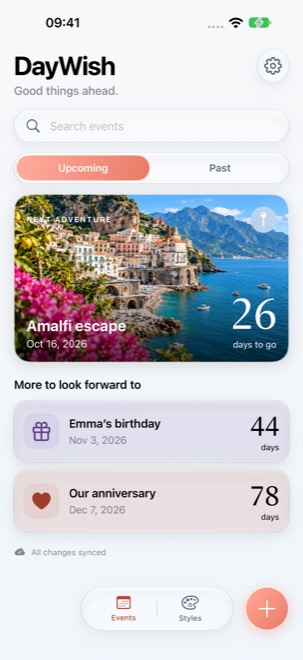
Track all-day events or a specific time and time zone. Repeat annual occasions, pin favorites and revisit past or archived moments.

DAYWISH · EVENT COUNTDOWN
Trips, birthdays, anniversaries and everyday milestones. Keep the moments you look forward to in one calm, personal space.
An iPhone event countdown app by PrimeIntel Limited. App privacy
View on the App Store ↗For iPhone · iOS 17 or later · App language: English
DAYWISH BY PRIMEINTEL
Track all-day events or a specific time and time zone. Repeat annual occasions, pin favorites and revisit past or archived moments.
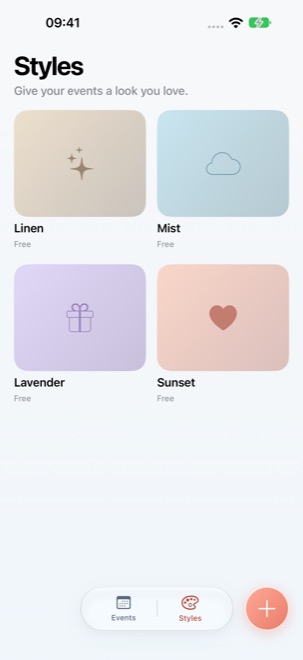
Choose a style and a coastal cover for your events. Search your list and keep the dates that matter close at hand.
Set local reminders for the day itself or one day before. Delivery depends on device settings; open DayWish periodically to refresh reminders.
Use DayWish without an account, or sign in with Apple to sync across devices. Offline changes sync when you reopen the app online.
Share a countdown image or export events saved on your device.
Choose light, dark or system appearance to suit your day.
In versions that offer Google sign-in, DayWish requests openid, email and profile to verify your Google identity and display your name and verified email in your DayWish account. Your Google identifier connects you to your DayWish cloud events. Google does not share your password with DayWish. This sign-in flow does not request Gmail, Google Drive or Contacts permissions. You can also use DayWish locally without signing in.
App privacy →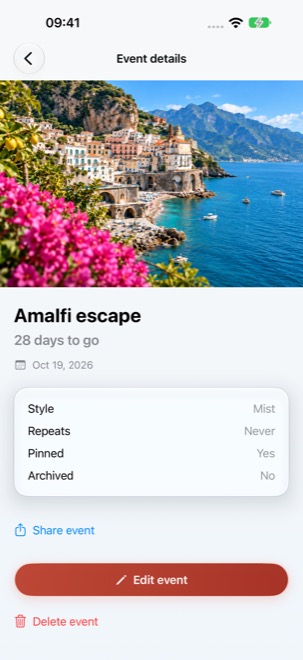
Questions about DayWish? Find product support, privacy information and terms below.